
Photo mockup
Show the customer their gate on their driveway
Drop the drawing into a photo of the property, match the perspective, and send a picture of the finished job before a single tube is cut.
Why it closes
A drawing asks the customer to imagine. A mockup shows them
Most people can't picture a gate from an elevation view. Put the same design in their own photo and the conversation changes from whether to when.
- The design in the mockup is the same design on the drawing, the cut list, and the estimate. Nothing is redrawn.
- Works for gates, fence runs, and handrails, from a straight-on shot or an angled one
- Downloads as an image or goes out with the rest of the job package, with your logo on it
The controls
Four adjustments, and it looks like it's already installed
Match the perspective
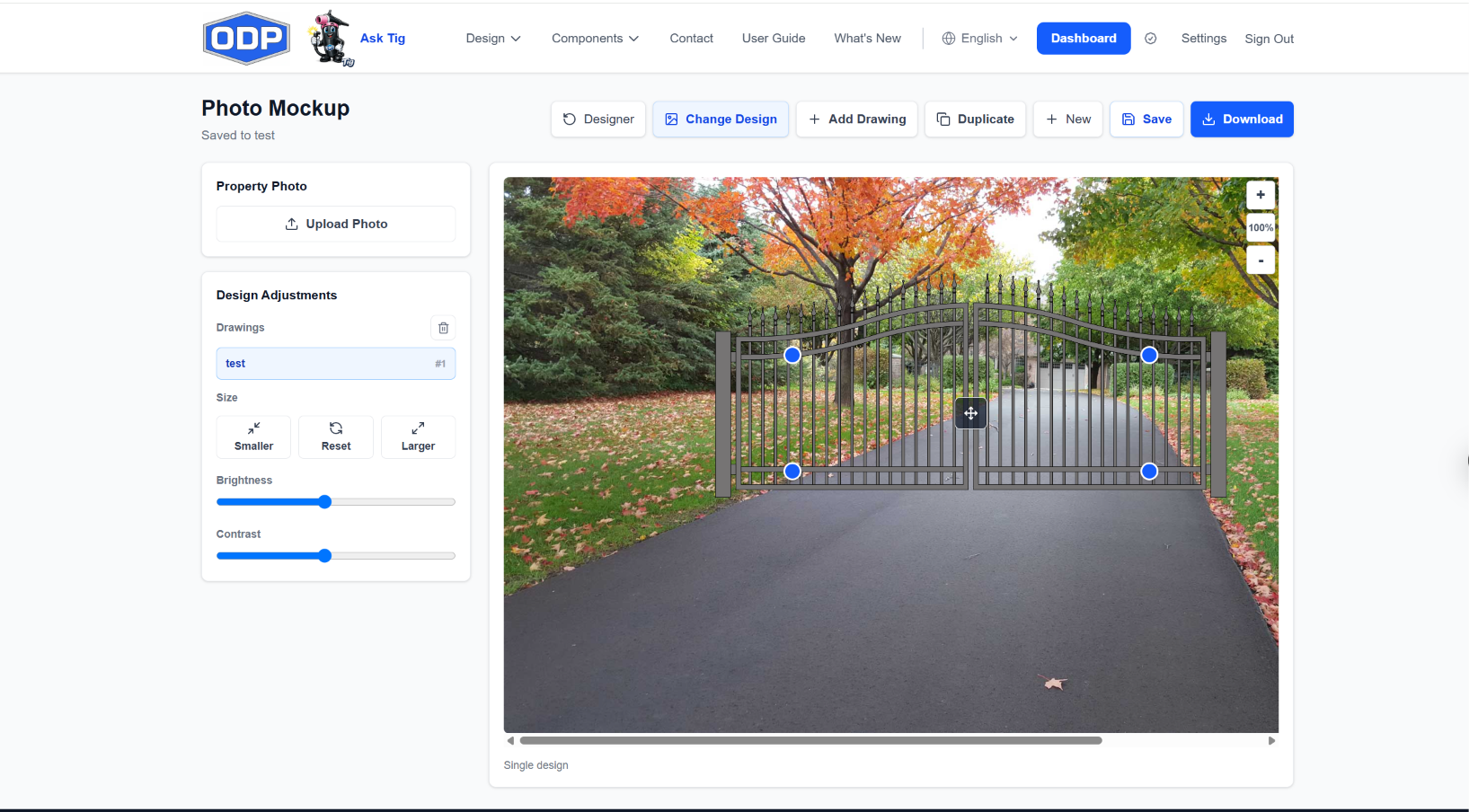
Drag the four corner handles until the drawing sits in the opening the way the finished gate will. Driveways, walkways, stair runs, anything the camera saw at an angle.
Size it to the opening
Nudge the drawing larger or smaller against the posts, columns, or wall in the photo, and reset in one click if you overshoot.
Blend it into the light
Brightness and contrast sliders settle the drawing into the photo so it reads as part of the scene, not a sticker on top of it.
More than one drawing
Add a second design to the same photo, or duplicate one to show a matching walk gate beside the driveway gate
How it works
Three steps from a site photo to a sale
- 1
Design it
Draw the gate with Tig or by hand. Any saved design is ready for a mockup.
- 2
Upload the property photo
A phone photo from the site visit is all it takes. Open Photo Mockup from the design card and add the photo.
- 3
Place it and send it
Pull the corners into the opening, adjust the light, and download the mockup or bundle it into the job package.
Photo mockups come with ODP Full Access, and every new account starts with a 7-day free trial of full access, no credit card required.
Send the mockup that closes the job
Start a 7-day free trial of full access. No credit card required.
No credit card to start. No charge unless you choose a plan.