
Component library
Real ornamental iron parts, with real part numbers
A curated collection of finials, scrollwork, post caps, and decorative accents — with part numbers, real-world dimensions, and reusable details.
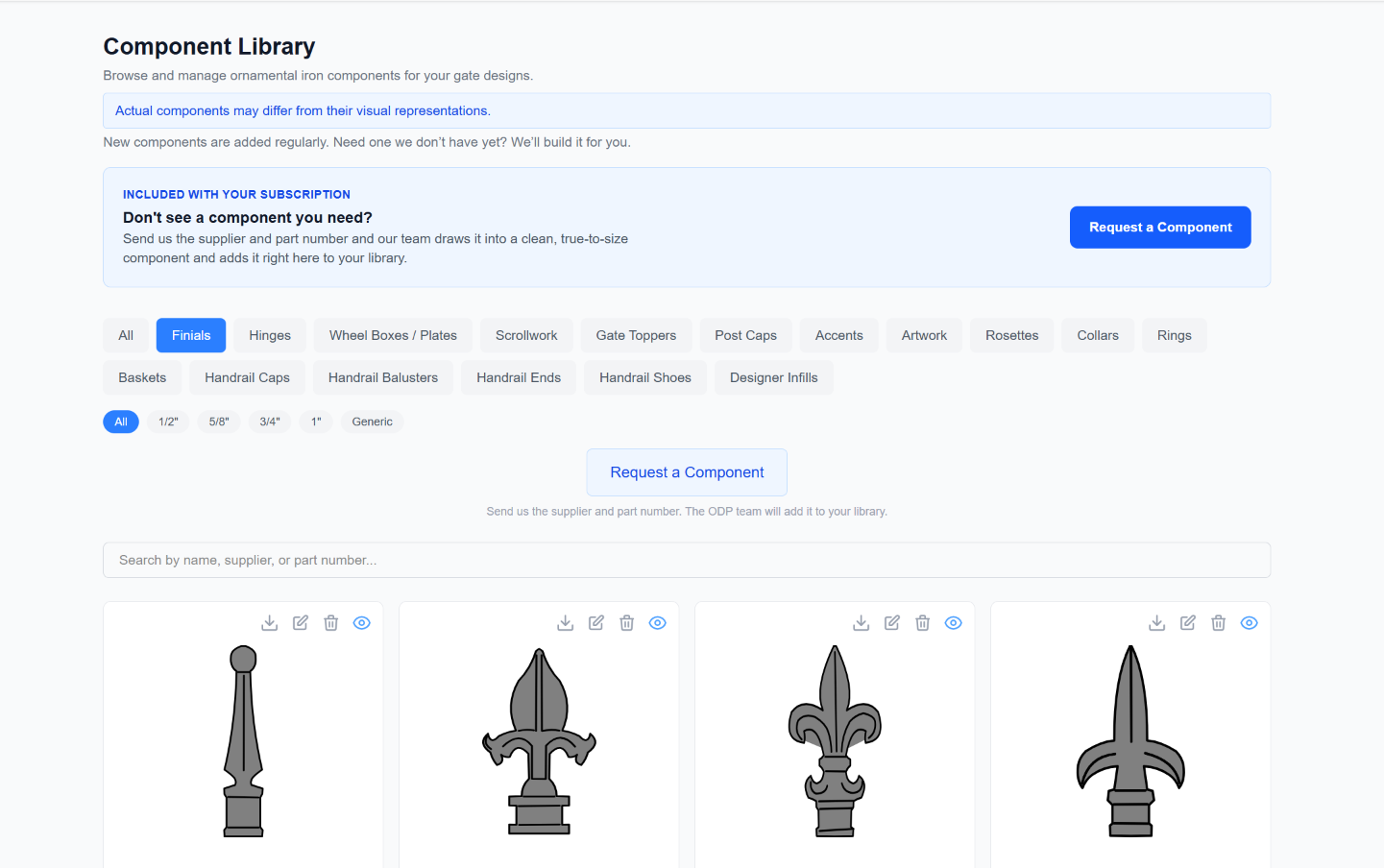
What's in the library
Parts that render at the size they ship
Real sizes, reusable details
Components include practical details like part numbers and real-world dimensions so you can reuse them consistently across drawings.
Accurate dimensions
Specific components match real-world dimensions so finials, post caps, and scrollwork render at the correct size in your gate drawings. Generic components scale to any size you need.
Growing every week
We regularly add new ornamental iron components — and we add them on request. The library gets bigger and more useful over time, shaped by what shops actually use.
We build the ones you're missing
Need a part that isn't in the catalog? Send us the supplier and part number and our team draws it into a clean, true-to-size component and adds it to your library — usually within a few days. No tracing or CAD on your end.
Component types
What you'll find on the shelf
How it works
Browse it, place it, reuse it
- 1
Browse
Search by name, category, or part number to find the component you need.
- 2
Place
Add components to your gate design as finials, post caps, or free-form overlays — they render at the correct size automatically.
- 3
Reuse
Place components into your design and reuse the same details across future drawings.
Missing a part?
We build it for you
You don't trace or import components yourself — keeping the catalog clean and consistent is our job. Send us the part and our team draws it into a library-grade component and adds it straight to your library.
- 1
Tell us the part
Give us the supplier and part number — add a catalog link, a photo, or dimensions if you have them.
- 2
We draw it
Our team draws it into a clean component at its real-world size — the same quality as the built-ins.
- 3
It lands in your library
The finished component shows up in your library, ready to drop onto any gate, fence, or handrail.
Custom scrollwork is the exception
The one ornamental piece you shape yourself is scrollwork. Right inside the designer, the custom scrollwork editor lets you build C-scrolls, S-scrolls, and spirals with parametric controls and drop them onto your gate — no request needed.
See the in-designer scrollwork editor →Real components for real projects
Sign up for free to browse the full component library. No credit card required.
No credit card to start. Already have an account? Log in